

Are you on the hunt for the best e-reader to buy in 2026? If so, you’re not alone. With so many options from Kindle, Kobo, Nook, and more, it’s natural to wonder what the best e-reader is and which device will fit your reading habits.
E-reader technology has come a long way. Now, we even have color e-paper, and modern electronic book reader devices can carry thousands of books while lasting for weeks on a single charge.
In this comprehensive guide, we’ll break down the top e-readers of 2026 with real-world insights (including e-reader reviews from users), side-by-side comparisons, and practical recommendations. By the end, you’ll know exactly which device for reading books is best for you.
1. Best E-Readers of 2026: Top Picks and Reviews
Choosing the best device for reading books in 2026 really depends on your needs. Do you primarily want a distraction-free e-reader for novels or a tablet-like device that can also run apps and audiobooks? Below, we highlight the top contenders:
i. Amazon Kindle Paperwhite (12th Gen, 2025)
A fast, 7-inch Kindle that’s waterproof, with a crisp display and warm front light. It’s widely considered the best all-around ebook reader for most people.
WIRED’s gear team even calls this latest Paperwhite their “favorite overall Kindle,” praising its high-contrast screen and night-friendly warm lighting.
If you want an easy, reliable reading experience and access to Amazon’s huge book store, the Paperwhite is hard to beat.
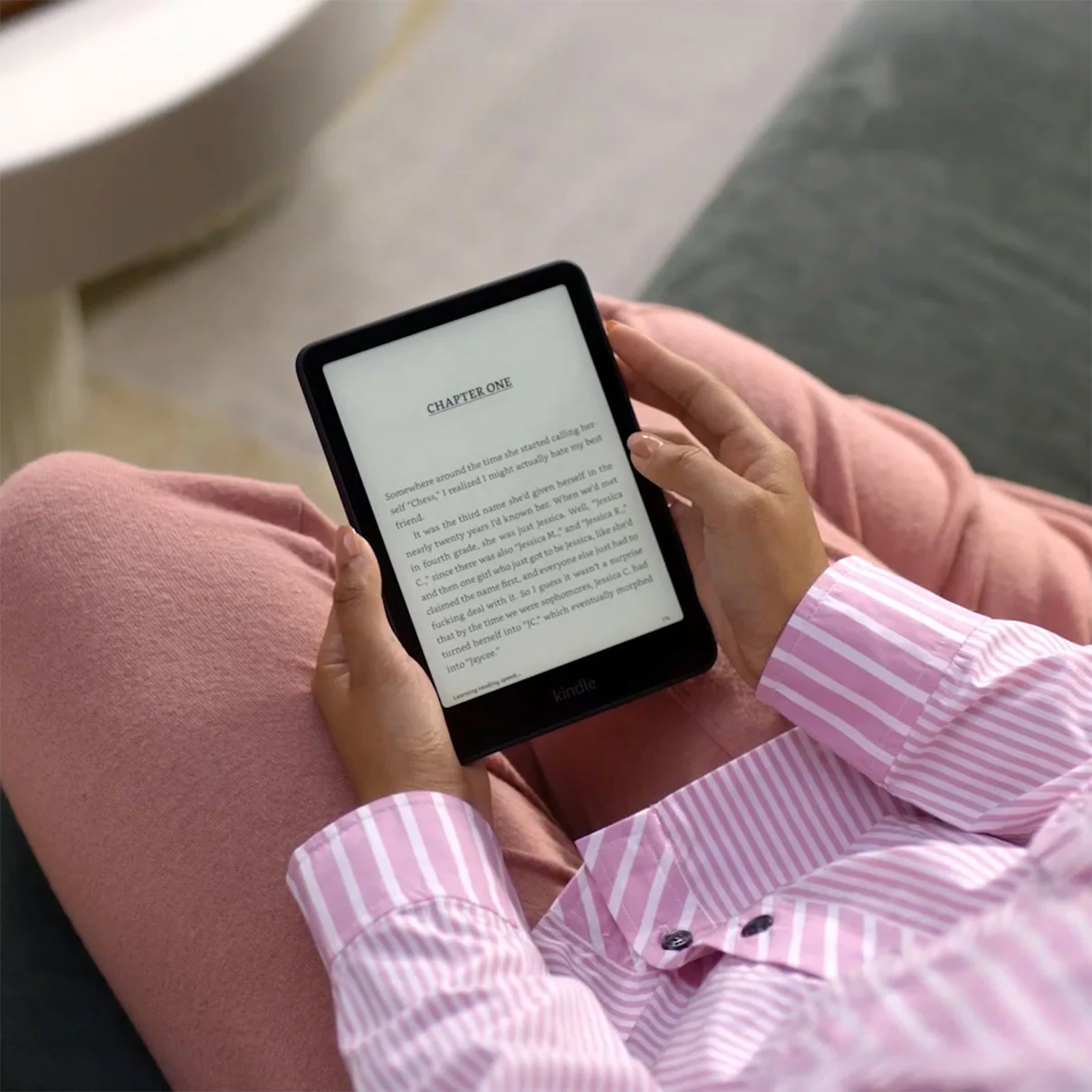
Why we picked it: The Kindle Paperwhite has long been the gold standard, and the 2025 iteration (12th Generation) is better than ever. Amazon gave it a larger 7″ E-Ink screen (up from 6.8″) with the highest contrast ratio of any Kindle to date.
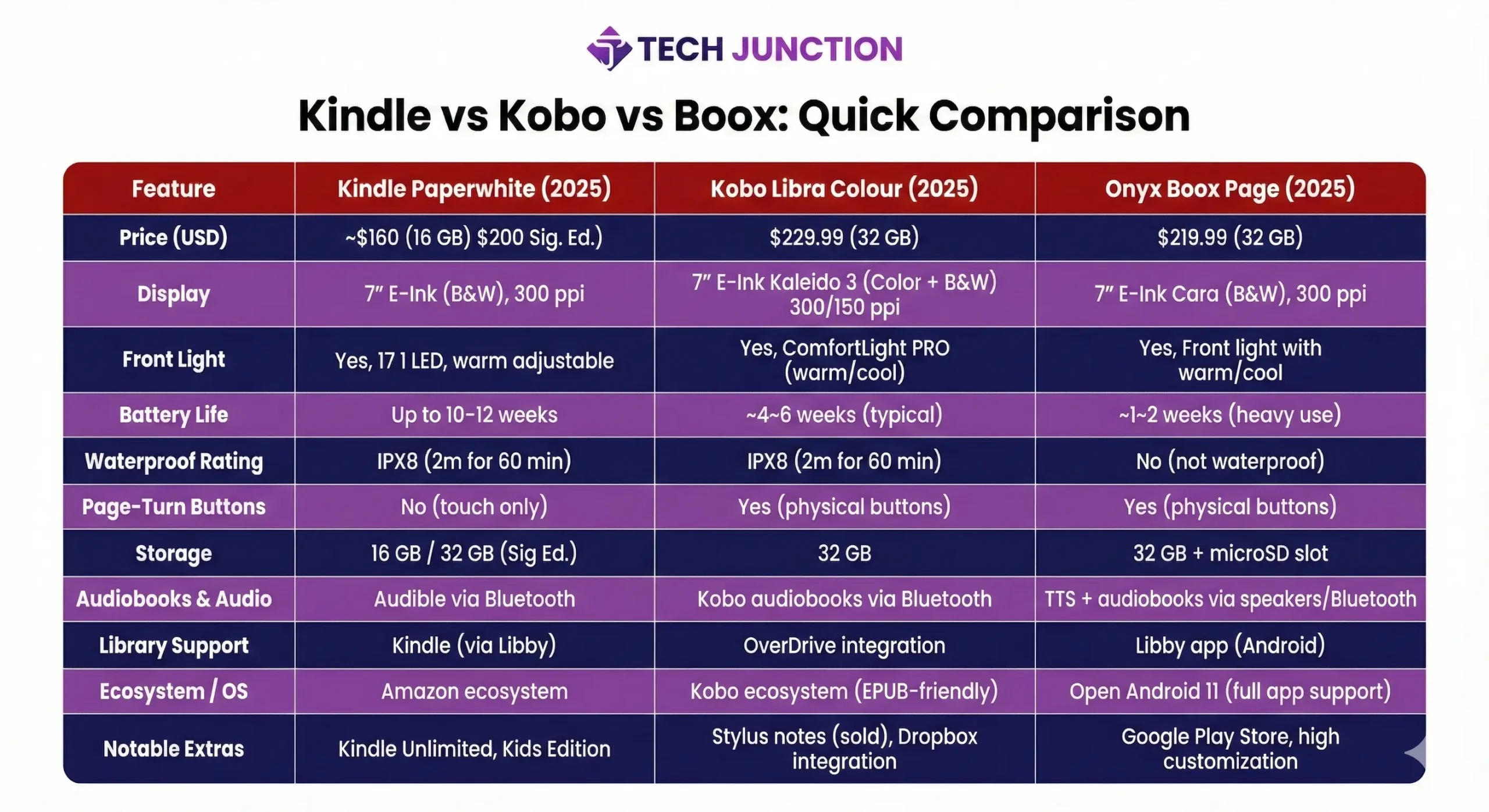
Text looks incredibly crisp at 300 ppi, and you can adjust the front light from white to a warm amber for comfortable night reading. It’s also waterproof (IPX8), has 16 GB of storage (32 GB in the Signature Edition), and now comes in fun colors like Jade and Metallic Black.
Reading experience: In practice, the Paperwhite delivers a near-flawless reading experience. Page turns are 20% faster than the previous model, so there’s virtually no lag when you flip pages.
The 7-inch size strikes a nice balance—bigger than a phone, but still easy to hold for long stretches. However, a few users note that the Paperwhite’s flush-front design and weight (~205g) can be a bit tiring to hold one-handed for extended periods. A simple grip case or pop-socket on the back can solve this issue.
Ecosystem and content: A huge selling point of Kindle is Amazon’s content ecosystem. You have instant access to over 5 million e-books, plus exclusives on Kindle Unlimited and Prime Reading.
If you’re in the U.S., Kindle integrates with Libby/OverDrive for public library loans (you can send library books to Kindle via Amazon). Outside the U.S., however, direct library integration isn’t available on Kindle.
Also, Kindle supports fewer file formats natively (mostly Amazon’s formats), so if you have a lot of EPUB files, you’ll need to convert or use Amazon’s Send-to-Kindle service. Sideloading is possible (e.g., via USB or email).
Pricing: The Kindle Paperwhite 12th Gen is priced around $160 USD for the standard 16 GB model, and about $200 for the Signature Edition (which adds wireless charging, auto front-light, and 32 GB storage).
Verdict: For most readers, the 2025 Paperwhite is the best e-reader overall. It hits the sweet spot of a high-quality display, comfortable size, massive content selection, and long battery life (up to 10–12 weeks per charge under light use).
ii. Kobo Libra Colour (2025)
A 7-inch color e-reader that brings your book covers, comics, and highlights to life. It has page-turn buttons, is waterproof, and works with open formats and library books. It’s a top choice if you value freedom from Amazon’s ecosystem or love graphic content.
One Reddit reviewer raved about the Libra’s ergonomic design: “The buttons to turn pages are great, and I like that it is independent of Amazon.”

Why we picked it: Kobo’s Libra Colour is a standout because it offers something new: a color E-Ink screen. This 7″ reader uses E Ink’s latest Kaleido 3 panel to display 4,096 colors in addition to crisp monochrome.
That means book covers, comics, and illustrated children’s books appear in gentle color rather than grayscale. You can even highlight text in different colors.
Design and features: The Libra Colour inherits the beloved design of the Kobo Libra 2: an ergonomic side grip with page-turn buttons, and a slightly wider body that’s easy to hold in either hand (you can rotate it 180° for left-handed use).
Readers absolutely love the buttons – one user said “It’s much more comfortable to hold in one hand. I love the buttons. I love the ability to read in landscape mode.”.
At ~$229 USD retail, the Libra Colour isn’t cheap, but it is fully loaded: 32 GB storage, USB-C, and IPX8 waterproofing (up to 60 minutes in 2m of water). It also supports Bluetooth audiobooks from the Kobo store, so you can pair headphones and listen to audiobooks on the same device.
Reading experience: In use, colors are muted compared to an LCD tablet, but they add a welcome spark to book covers and graphics. By default, the Libra’s front light (ComfortLight PRO) can be adjusted for warmth and brightness; at night you can enable a red-orange hue to minimize blue light.
Black-and-white text contrast is excellent on this screen – if you saw it side by side with the regular Libra 2 (which is B&W only), you’d be hard-pressed to tell the difference in text quality. However, when the frontlight is off, color e-ink screens can look slightly dimmer or more gray than pure B&W screens (a known trade-off). In practice, most users keep a low light on indoors, and the Libra Colour’s display is easy on the eyes.
Kobo ecosystem and freedom: Kobo is the primary alternative to Amazon’s Kindle, and it shines in a few areas. First, it natively supports more formats like EPUB, PDF, MOBI, etc., without conversion.
You can load books via USB or even cloud services (Kobo has Dropbox/Google Drive integration). Unlike Kindle, Kobo directly integrates with OverDrive/Libby for library ebooks globally – you can browse and download library books on the device, a huge perk for library patrons.
Kobo’s store isn’t as large as Amazon’s, but it’s extensive, and Kobo Plus subscription offers a Netflix-style all-you-can-read selection for a monthly fee (in certain countries). If you’re a tinkerer, you can even install third-party reading apps like KOReader on Kobo for advanced features.
Another big plus: no ads. Kobos come ad-free (Kindles often show “Special Offer” ads on the lockscreen unless you pay +$20 to remove). And of course, no Amazon lock-in – something that matters to folks who prefer not to be tied to one company.
As one Reddit user put it, they chose Kobo “because I’ve gotten more and more frustrated with Amazon as a company.”
Pricing: The Kobo Libra Colour retails for $229.99 USD. That’s roughly on par with what a Kindle Oasis used to cost, and a bit cheaper than Kindle’s color model (Colorsoft starts around $250).
Kobo also has a smaller 6″ Kobo Clara Colour at $160, which is almost $100 cheaper than Amazon’s cheapest color Kindle. So Kobo has positioned its color e-readers very competitively.
Verdict: If you want an advanced e-reader that’s not a Kindle, the Kobo Libra Colour is arguably the best e-reader you can buy. It’s fantastic for both regular books and graphical content.
You get the flexibility of Kobo’s open ecosystem and excellent library support. And those page-turn buttons? Once you have them, it’s hard to go back. The Libra Colour proves that color e-ink is finally ready for prime time, making reading more enjoyable without sacrificing the comforts of e-ink.
iii. Onyx Boox Page (2025)
A feature-packed 7-inch Android eReader tablet. It runs Android 11, meaning you can install apps (Kindle, Libby, etc.), use text-to-speech, and even browse lightly. With an octa-core processor and 3GB RAM, it’s snappy for an e-ink device.
The Boox Page is best for tech-savvy users who want versatility and don’t mind tweaking settings. (Note: It’s not fully waterproof and battery life is shorter than simpler readers – more on that below.)
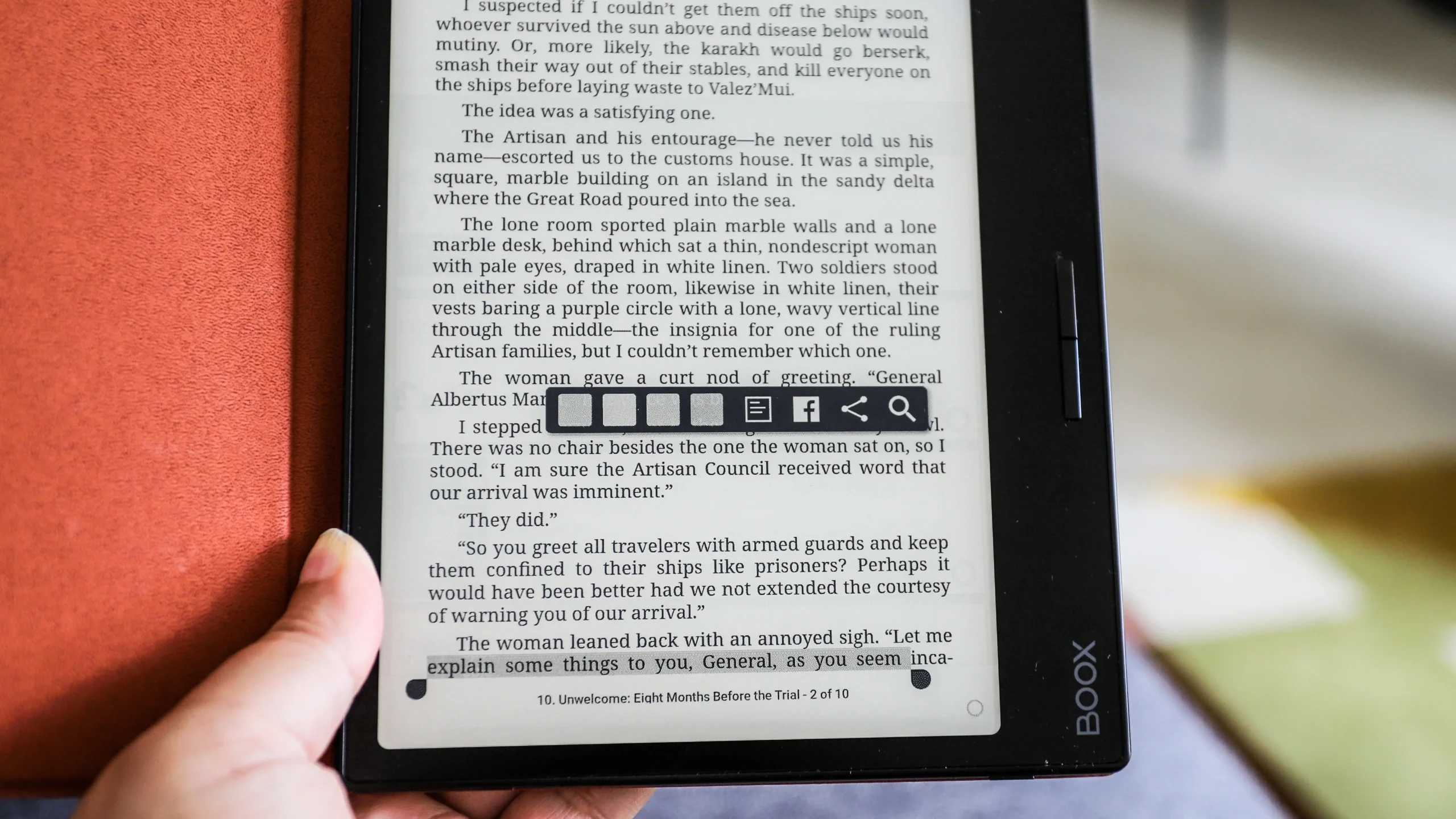
Why we picked it: The Onyx Boox Page is not as widely known as Kindle or Kobo, but it’s a powerhouse for those who want an e-reader and more. This means you can install apps from the Google Play Store – Kindle app, the Nook app, Libby, Google Play Books, comics apps, you name it.
The Boox Page sports a 7″ E-Ink Carta 1200 screen at 300 ppi (monochrome), so reading-wise it’s comparable in sharpness to the Paperwhite and Libra. But under the hood, it packs an octa-core processor with 3GB RAM and 32GB storage, making it one of the snappiest e-ink devices around. It even has page-turn buttons on its slim side bezels for easy navigation.
Capabilities: Because it runs full Android, the Boox Page can do things other e-readers can’t. For example, you can use text-to-speech (TTS) on any ebook (it will highlight and read aloud any text, which one Reddit user loved for listening to books).
You can load apps like Dropbox or OneDrive to sync your book files. It supports every ebook format imaginable, plus CBR/CBZ for comics. There’s even a built-in speaker and Bluetooth, so you can listen to audiobooks or music.
Drawbacks: All that power comes with complexity. Out of the box, the Boox’s interface is more complicated than a Kindle/Kobo. You might need to spend time tweaking refresh settings, contrast, and installing updates to optimize performance.
Some users warn that open Android e-readers require a lot of tinkering – adjusting app settings, configuring gestures, etc., to make them feel “paper-like”.
Another consideration is battery life. The Boox Page has a 2300 mAh battery, which in an e-ink context gives you roughly one to two weeks of moderate use on a charge. That’s shorter than a Kindle’s multi-week stamina, but still far better than an LCD tablet. Many Boox users top up the battery weekly or keep Wi-Fi off when not needed to extend life.
Also, Onyx devices, while generally well-built, aren’t waterproof (except a niche model). And finally, price: the Boox Page retails around $219 USD, similar to the Kobo Libra Colour. You’re paying for the advanced hardware and Android capabilities.
User feedback: Among enthusiasts, the Boox Page and similar Onyx devices have a dedicated following. Users love the freedom to use their preferred reading apps and the ability to annotate PDFs or use advanced dictionary tools.
One user’s short review called the Page “the ultimate reading companion,” highlighting that it’s always ready to pick up and supports their entire ecosystem of content.
On the flip side, a few users have reported QC issues like screen ghosts or even occasional screen cracks in some Boox models. Those seem to be isolated cases, but Onyx’s customer service can be less straightforward than Amazon’s. It’s something to consider – Kindle and Kobo have robust warranty support, whereas Onyx is a smaller player.
Verdict: The Onyx Boox Page is the best e-reader tablet for people who want an e-ink device that does it all. If you’re an advanced user who doesn’t mind a learning curve, it offers an unrivaled mix of an open Android system with the readability of e-ink.
However, if this is your very first e-reader, be aware that the Boox’s versatility comes at the cost of some complexity.
As one community expert advised, “If it’s your first time getting an e-reader… I don’t recommend Boox… But if you like that whole customization, then you should get it.”.
iv. Kindle (2024 Basic) and Kobo Clara 2E
You don’t need to spend a fortune to get a great reading device. If you’re on a tighter budget, both Amazon and Kobo offer excellent entry-level models:
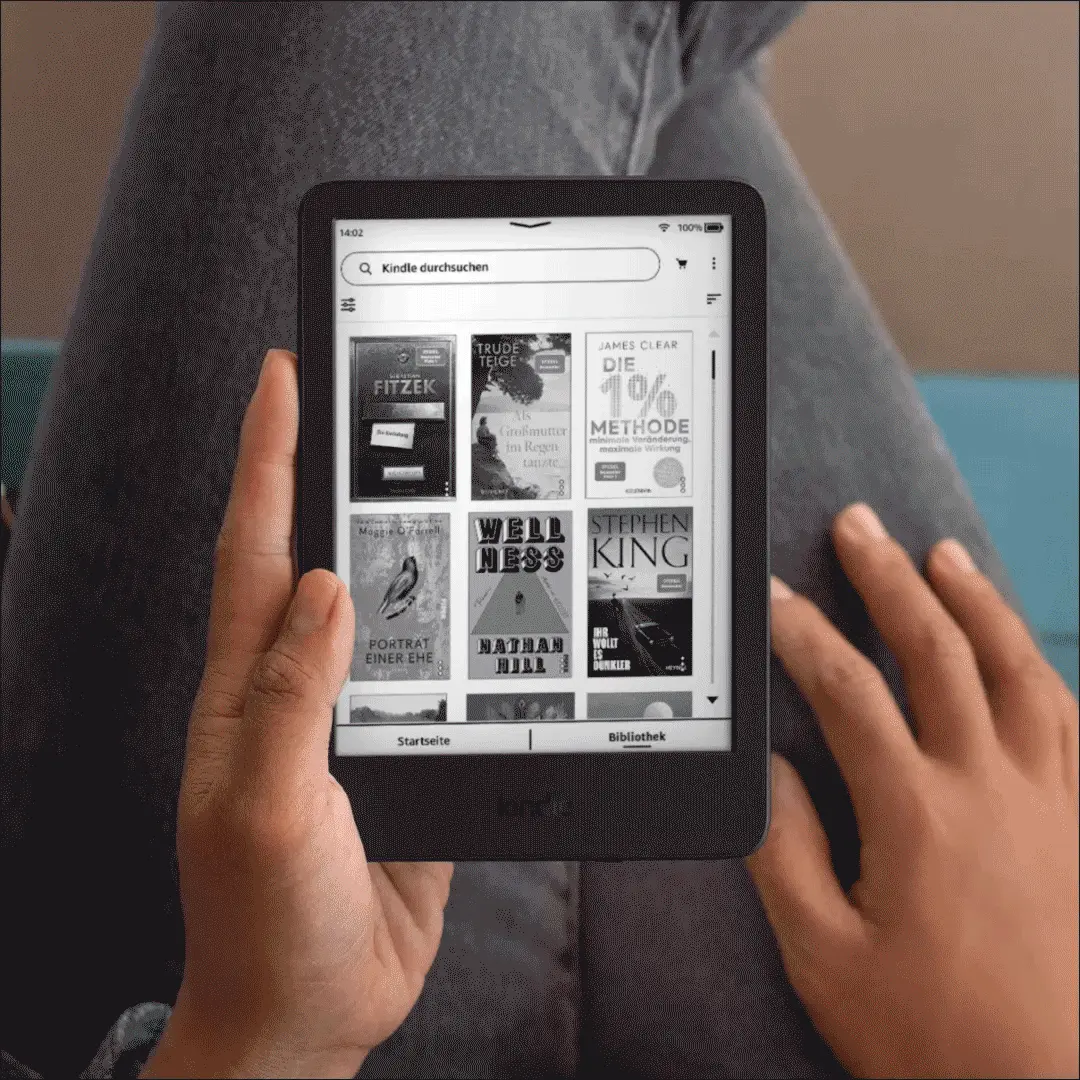
Amazon Kindle 11th Gen (2024) – The latest “basic” Kindle now has a 6″, 300 ppi front-lit screen (finally on par with Paperwhite’s sharpness) and USB-C charging. It’s super compact (158g), making it one of the lightest e-readers.
It lacks waterproofing and the screen is smaller, but at $99–$119 USD it’s a terrific value. In fact, one expert noted the basic Kindle “is actually better value” for many than the pricier models. It still gets weeks of battery life and access to the full Kindle ecosystem. If you don’t need the bigger screen or water protection, the Kindle 11th Gen is the best budget pick on Amazon’s side.
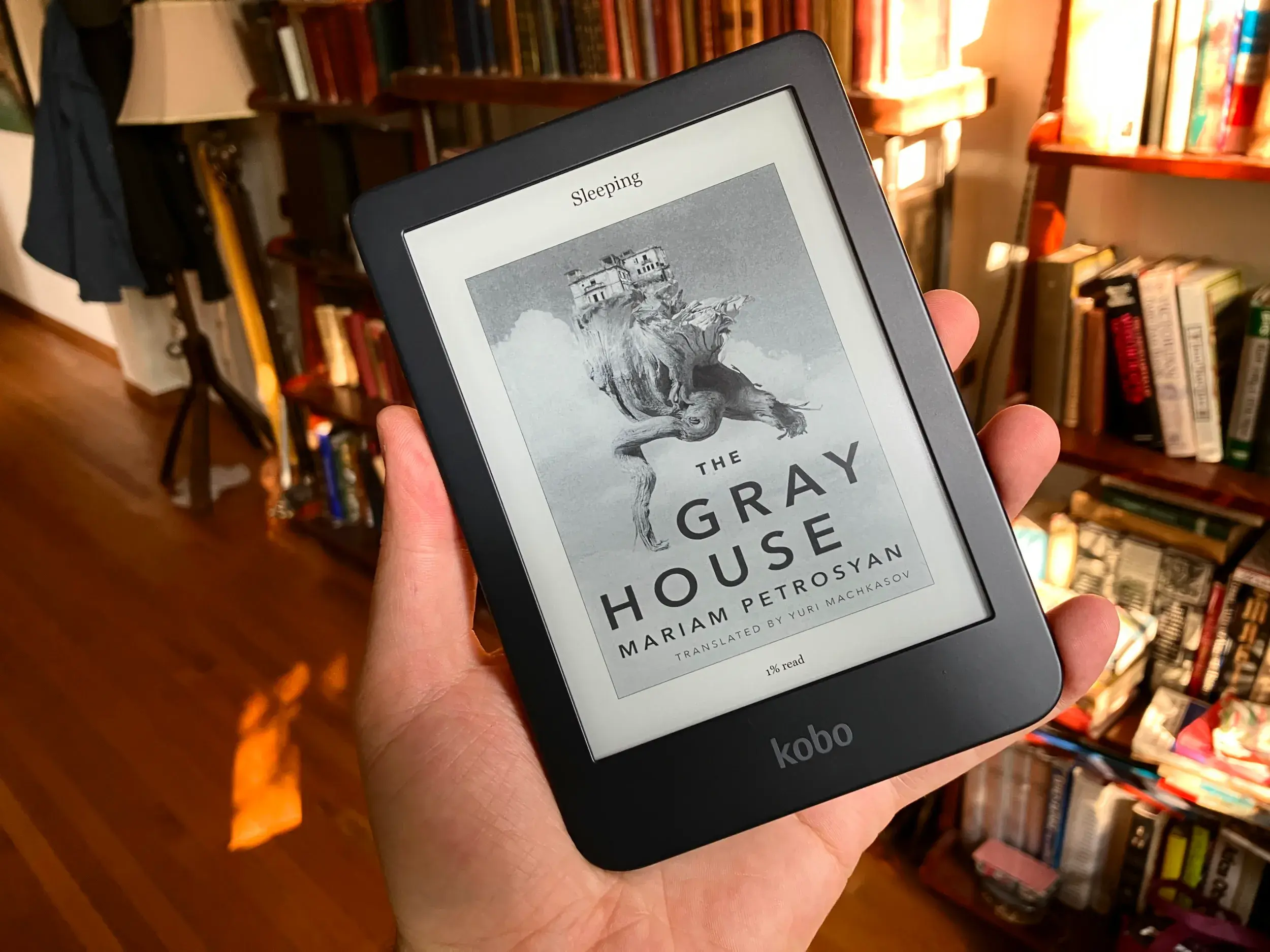
- Kobo Clara 2E (2022) – Priced around $130 USD, the Clara 2E offers a 6″ 300 ppi e-ink Carta screen with warm adjustable frontlight, 16 GB storage, and it’s waterproof (rare at this price). It also supports Bluetooth audiobooks. The “2E” model is eco-friendly (made with recycled plastics) but more importantly, it’s a joy to use for reading.
Many reviewers praise the Clara as easy to hold one-handed due to its smaller size. And unique to Kobo, you have a choice between Clara 2E (black & white) or Clara Colour (the 6″ color variant at $160).
So even budget buyers can opt for color e-ink. If you mainly read text novels and want a portable device for under $150, the Clara 2E is a top choice.
It’s worth noting that Barnes & Noble’s Nook GlowLight 4 (6″, $119) and GlowLight 4 Plus (7.8″, $199) are also out there in the budget and midrange category. They have some neat perks – for example, Nooks have physical page turn buttons on both sides and no ads, ever.
The 7.8″ GlowLight 4 Plus even supports audiobooks via Bluetooth and has a large Carta 1200 screen. However, Nook’s battery life is underwhelming (the GlowLight’s battery is often reported as the weakest of the bunch).
Also, the Nook ecosystem is U.S.-centric and smaller, and the devices lack the polish and speed of Kindle/Kobo. Unless you’re a B&N loyalist, Kindle or Kobo will generally offer a better experience and selection.
That said, if you find a Nook on a heavy sale or you adore its design, it can certainly handle the basic job of an e-reader. Just go in knowing you might be charging it more often and sideloading books (which, to be fair, Nook makes easy with simple drag-and-drop file support).
2. E-Reader vs Tablet: Which should you choose for reading?
Should you buy a dedicated e-reader or a tablet like an iPad for reading e-books? It’s a common question when looking for the best book reader tablet or device.
While tablets (like an iPad or Kindle Fire) can run Kindle or Kobo apps, a dedicated e-reader offers some clear advantages:
- Eye-Friendly E-Ink Screen: E-readers use E-Ink displays that mimic printed paper, which means no glare in sunlight and less eye strain. You can read an E-Ink electronic book reader for hours without the fatigue or blue-light issues you’d get from an LCD tablet screen. Devices like the Kindle Paperwhite and Kobo Libra have crisp 300 ppi E-Ink screens that make text look like ink on paper. Tablets, on the other hand, are essentially like reading on a computer monitor (bright and reflective).
- Battery Life: E-readers are purpose-built for efficiency. The Kindle Paperwhite, for example, can last up to 10–12 weeks on a charge under typical use – something no standard tablet can match. Tablets often need charging every day or two with regular use.
- No Distractions: A tablet is a multipurpose device with email, social media, games, etc. An e-reader is a focused environment with no notifications or apps to pull you away from the book. If you want deep, uninterrupted reading sessions, e-readers excel.
- Read-anywhere Form Factor: E-readers tend to be lighter (often 6–8 oz) and easier to hold one-handed for long periods. Many are also waterproof, so you can comfortably read in the bath or by the pool – e.g. Kindle and Kobo devices boast IPX8 waterproofing for worry-free beach reading. Tablets are heavier and generally not waterproof in standard models.
That said, a tablet might be better if you only want one device that does everything (reading, web, video) or if you read a lot of interactive textbooks or color PDFs that benefit from a larger, color LCD. Some voracious readers actually pair an e-reader and a small tablet (using the tablet for color magazines or apps, and the e-reader for long-form reading).
But for pure reading comfort and focus, a dedicated e-reader is usually the best device for reading books in the long run.
3. Key Takeaways
- Amazon Kindle Paperwhite (2025) – Best for most readers: A nearly perfect blend of quality and value. Fast performance, a superb 7″ display with warm light, waterproof build, and Amazon’s huge book selection make it the best ebook reader overall for 2026. Choose this if you want a no-fuss, high-quality e-reader and are okay with Amazon’s ecosystem (or don’t mind converting files).
- Kobo Libra Colour – Best Kindle alternative & best color e-reader: Ideal for those who want a color screen or to break free of Amazon’s walled garden. It’s comfortable to hold (physical buttons!), offers color without sacrificing much clarity, and supports library lending and open formats. Slightly pricier, but worth it for color content lovers and Kobo’s flexibility.
- Onyx Boox Page – Best for power users: Essentially an Android tablet disguised as an e-reader. Great for tech enthusiasts, mixed-format libraries, or anyone who wants apps and advanced features on e-ink. Not as plug-and-play as Kindle/Kobo, but incredibly versatile.
- Budget Choices: The 6″ Kindle (2024 edition) and Kobo Clara 2E are fantastic affordable options, packing high-res screens into lightweight, pocket-friendly designs. They lack some bells and whistles but deliver a core reading experience that’s not far off from the pricier models.
- Don’t forget comfort: If you can, try holding different e-readers (or at least note the weights/dimensions). A slightly heavier model like the 7″ Paperwhite might benefit from a grip or case for long sessions, whereas a 6″ Clara is naturally easier on the hand. Features are important, but the best e-reader is ultimately one that you’ll enjoy using for hours on end.
FAQ – Best E-Reader Questions
Q1: What is the best e-reader to buy in 2026?
Kindle Paperwhite (2025) is the best all-rounder. For color and flexibility, consider Kobo Libra Colour or Boox Page.
Q2: Kindle vs Nook – which is better for reading books?
Kindle wins on ecosystem, hardware, and battery. Nook offers a simpler, ad-free experience but weaker performance.
Q3: What about Kindle vs Kobo?
Kindle has better store and speed; Kobo supports more formats, library integration, and no ads.
Q4: Are color e-readers worth it?
Yes, if you read comics, magazines, or kids’ books. Otherwise, black-and-white screens offer better contrast for text.
Q5: Can a tablet replace an e-reader for book reading?
Tablets work, but E-Ink screens offer less eye strain, better battery, and reading focus.
Q6: How do I get library books on my e-reader?
Kindle (US) uses Libby > Amazon. Kobo has direct OverDrive. Boox supports Libby app; Nook needs sideloading.
Q7: Do e-readers support audiobooks or text-to-speech?
Kindles support Audible. Kobo supports Bluetooth audiobooks. Boox supports both audiobooks and TTS.
The Tech Junction is the ultimate hub for all things technology. Whether you’re a tech enthusiast or simply curious about the ever-evolving world of technology, this is your go-to portal.